
When Chaos Hits, Nobody Remembers a Keyboard Shortcut
When Chaos Hits, Nobody Remembers a Keyboard Shortcut
When Chaos Hits, Nobody Remembers a Keyboard Shortcut
When Dealing with Threat Situations
When dealing with threat situations, organizations need a solution that enables employees to raise an alarm quickly, discreetly, and reliably.
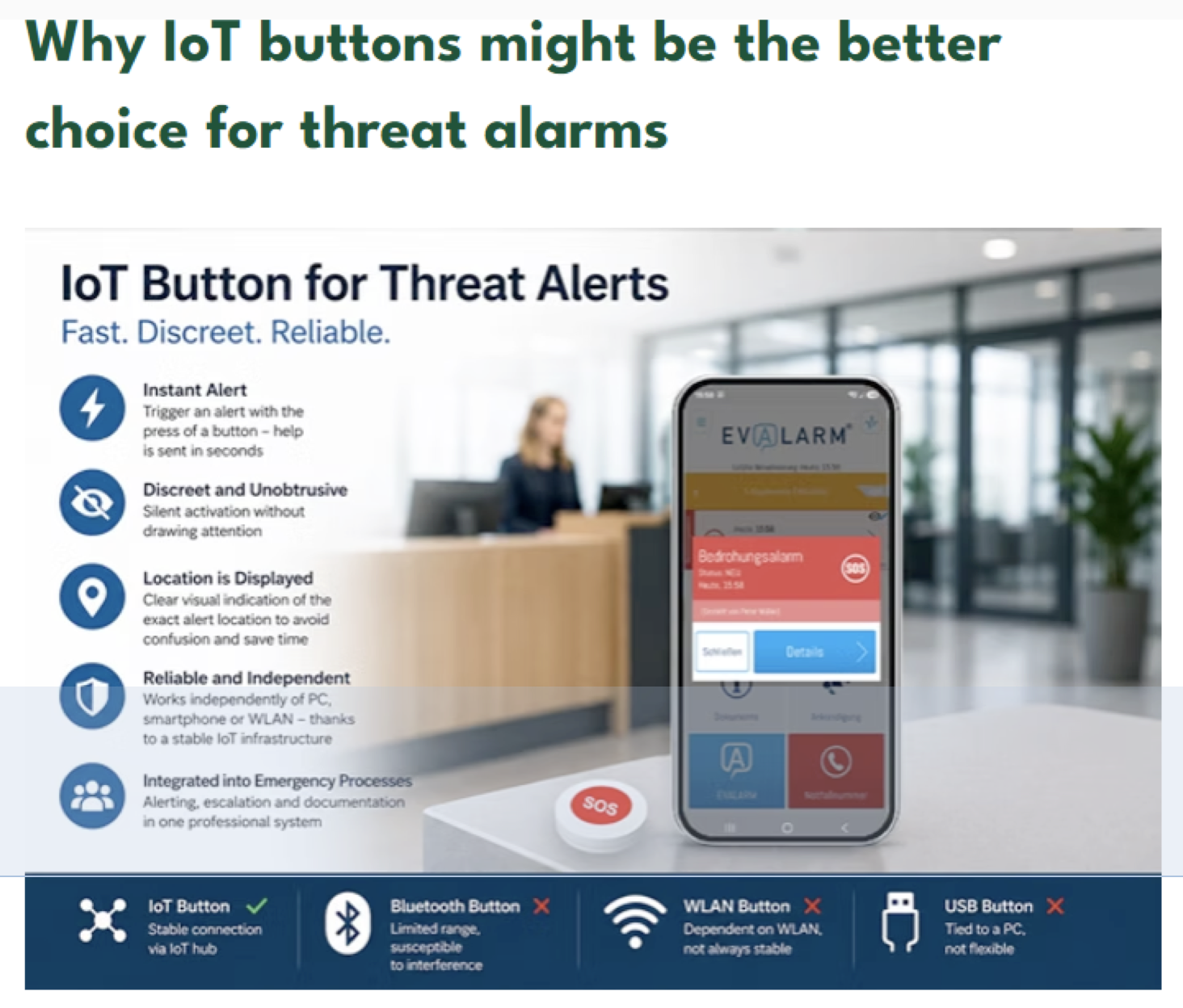
While hotkey alarms, Bluetooth buttons, Wi-Fi buttons, and USB-connected devices can all be used for emergency notification, IoT buttons often provide significant advantages in professional threat alarm scenarios.
What Is an IoT Button for Threat Alarms?
An IoT button is a physical emergency button connected to an alerting platform through a dedicated hub or gateway. When pressed, it automatically initiates a predefined alarm process. Depending on the configuration, security personnel, reception staff, internal emergency teams, external monitoring centers, or other responsible individuals can be notified immediately to trigger a variety of emergency scenarios, including threat alarms, SOS calls, medical emergencies, and organization-specific alert processes.
“In a threat situation, minimizing complexity is the key to faster and more effective action. A physical IoT button removes technical barriers, ensuring that a critical moment immediately triggers a coordinated and traceable emergency response.”
Why Physical Buttons Are Effective
In a threatening situation, speed and simplicity are critical. A person under stress should not have to unlock a phone, open an application, remember a keyboard shortcut, or navigate through software menus.
A physical IoT button reduces the action required to a single press, making it intuitive and reliable even under pressure. Another important advantage is discretion; buttons can be installed beneath desks, behind reception counters, in consultation rooms, or treatment areas where employees may need to request help without drawing attention to themselves.
How IoT Buttons Compare to Alternative Solutions
Hotkey Alarms: Hotkey-based alerting can work well when employees remain at a computer workstation. However, many threats occur away from a keyboard. An IoT button operates independently of a computer, remains available if a workstation is locked, and is more reliable under stress than remembering a specific keyboard combination.
Bluetooth Buttons: Bluetooth buttons often depend on smartphones, tablets, or nearby receiving devices. If the connected device is unavailable or out of range, the alarm may fail. IoT buttons connected through a dedicated hub provide a more robust, centrally managed infrastructure to ensure operational readiness.
Wi-Fi Buttons: Wi-Fi buttons rely heavily on the local wireless network, meaning changes to network configurations, firewalls, or access points can affect reliability. A professionally designed IoT infrastructure utilizes multiple communication paths (such as LAN, Wi-Fi, and cellular), separating critical alarm functions from the general office IT environment.
USB Buttons: USB buttons are typically tied to a specific computer. If the workstation is turned off or locked, the button may not function. IoT buttons operate independently of local software, drivers, or user permissions, reducing potential points of failure.
Clear Location Information Is Essential
Triggering an alarm is only the first step. Responders must know exactly where assistance is required. In larger facilities such as government offices, schools, healthcare facilities, or corporate campuses, confusion about the alarm location can delay response times.
An integrated IoT button transmits and visually displays the exact reporting location (room, area, building, or site). Each button can be linked to a specific area and emergency scenario, providing precise context alongside the alarm itself to reduce misunderstandings and enable faster reactions.
Managing the Entire Response Process
The effectiveness of a threat alarm depends on what happens after it is triggered. When integrated with an alerting platform, an IoT button can initiate a complete emergency workflow, including:
Alerting predefined individuals and groups
Silent notification of security personnel
Display of the exact alarm location
Escalation procedures if there is no response
Distribution of response instructions
Acknowledgements, status updates, and incident documentation
Coordination across multiple locations or external monitoring centers
Typical Use Cases
IoT buttons are particularly valuable in environments where employees interact with the public or face elevated security risks:
Government agencies and public administration
Schools and universities
Healthcare facilities and social services
Reception, customer service, and retail environments
Security operations and critical infrastructure
Conclusion
While alternative solutions may be suitable for specific scenarios, IoT buttons offer clear advantages for professional threat alarm applications. They are independent of individual workstations, discreet to activate, centrally managed, and easily integrated into structured emergency processes. Most importantly, they provide immediate location information, ensuring that a critical moment triggers a coordinated and effective emergency response.
More About the Author
Peter Endress is Managing Partner of GroupKom / EVALARM and CEO of Swiss Platinum Consulting AG. Peter has over 30 years of experience in consulting and IT security and is an active member of the ECSP Risk, Resilience and Security Workgroup.